
Lead scoring is the process of assigning a numerical value to each lead based on attributes and behaviors that indicate their likelihood of converting. It gives marketing and sales teams a shared, data-driven system for prioritizing which leads to pursue – and in what order – rather than relying on gut feel or whoever happens to land in the CRM first.
Most B2B and SaaS companies generate more leads than their sales teams can actively work. Without a scoring system, the default is either to work leads chronologically (a poor proxy for quality) or to rely on sales instinct (inconsistent and unscalable). Both approaches mean hot leads go cold while sales time is spent on prospects who were never going to convert.
This guide covers everything you need to build, implement, and refine a lead scoring model: the types of scoring data, how to weight attributes correctly, when to use multiple models, common mistakes to avoid, and how Ortto's scoring tool makes the whole process faster and more accurate.
Key stat: Companies that use lead scoring see a 77% increase in lead generation ROI compared to companies that do not use scoring. (MarketingSherpa)
What is lead scoring?
Lead scoring is a methodology for ranking leads against a scale that represents the perceived value of each lead to the organization. Scores are calculated by combining weighted data points across two categories: who the lead is (fit attributes) and what they have done (behavioral signals). The resulting score tells sales teams how sales-ready a lead is and tells marketing teams how well their campaigns are generating high-quality demand.
A well-built lead scoring model does three things simultaneously: it prioritizes sales effort toward the leads most likely to convert, it filters out poor-fit leads before they consume sales time, and it creates a shared language between marketing and sales for what a 'good lead' looks like. That last point – alignment – is often the most valuable outcome, because it removes one of the most persistent sources of friction between the two teams.
Key stat: Sales teams ignore 50% of marketing-generated leads. A lead scoring model agreed on by both teams is the most effective structural fix for this alignment problem. (HubSpot)
Types of lead scoring data: Explicit vs implicit
Lead scores are built from two distinct types of data. Understanding the difference – and how to balance them – is the foundation of an effective model.
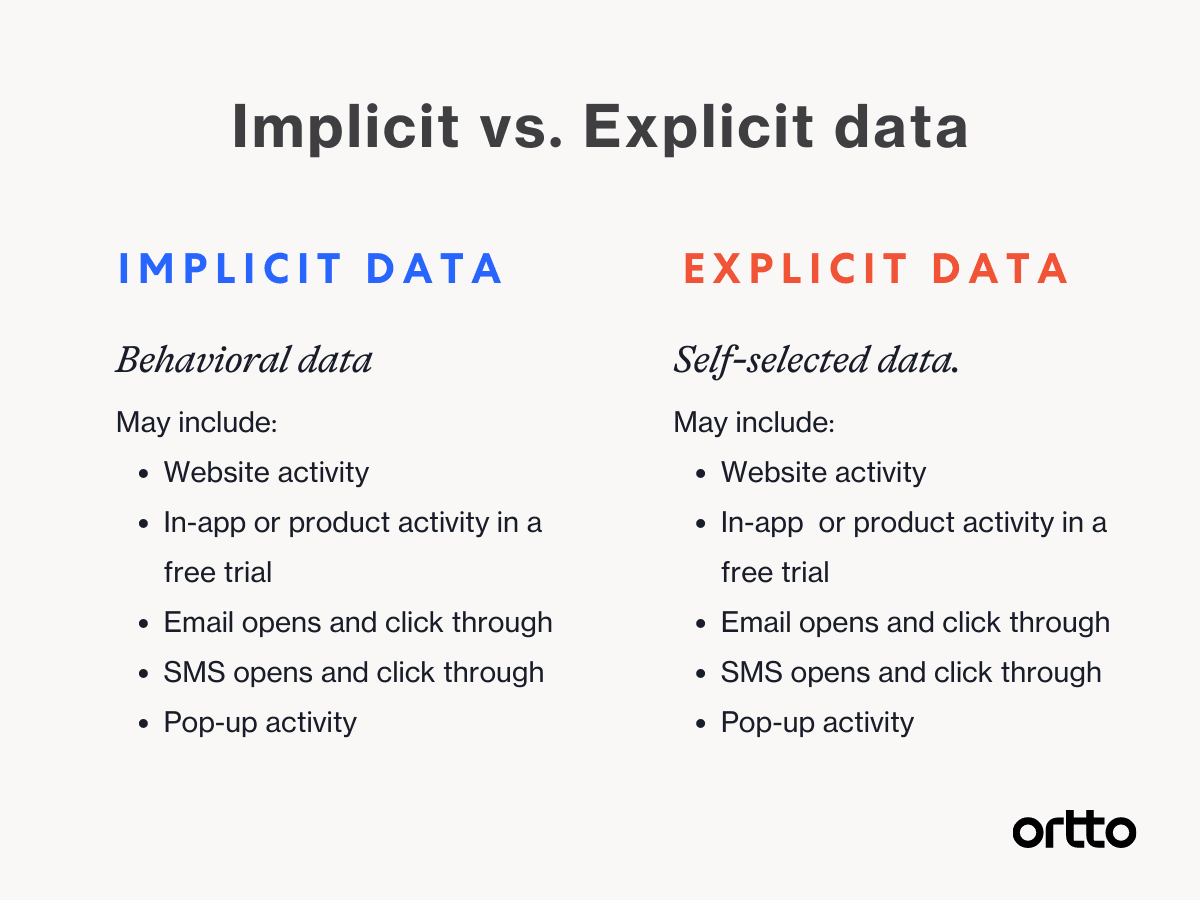
Explicit data (fit scoring)
Explicit data is information confirmed directly by the lead – either through a form submission, a sales conversation, or an enrichment tool. It tells you who the lead is and how closely they match your Ideal Customer Profile (ICP). Common explicit data points include:
Firmographic: Company size, industry, revenue, funding stage, geography.
Demographic: Job title, seniority, department, years of experience.
Technographic: Tech stack in use – particularly relevant if your product integrates with or replaces specific tools.
Declared intent: Information shared in a demo request form, a pricing enquiry, or a sales conversation – the highest-signal explicit data available.
Explicit data is the most reliable signal of fit, but it has a significant limitation: it is often incomplete. Many leads share minimal information during sign-up, making it difficult to score them accurately on fit alone without enrichment tools.
Implicit data (behavioral scoring)
Implicit data is behavioral – what a lead has done, rather than who they are. It reflects engagement and intent, and is typically captured automatically by your marketing automation platform and product analytics tools. Common implicit data points include:
Website behavior: Pricing page visits, feature page views, case study downloads, repeated site visits, time spent on key pages.
Email engagement: Opens, clicks, replies, and the specific content engaged with.
Product activity: Free trial usage depth, features activated, invitations sent to teammates, integrations connected – the most powerful behavioral signals for SaaS companies.
Content engagement: Webinar attendance, ebook downloads, video views, demo watch time.
Ad engagement: Clicks on retargeting ads, engagement with social content, paid search activity.
Most effective lead scoring models combine both data types, using explicit data to assess fit and implicit data to assess intent. A lead who is a strong ICP fit but shows no behavioral engagement is very different from a lead who has visited your pricing page three times and started a free trial, even if their explicit data is incomplete.
Ortto tip: Ortto's lead scoring tool supports both explicit and implicit data attributes in a single model, with separate weighting controls for each. Product usage events, like feature activations, invitations sent, and integration connections, can be added directly as behavioral scoring attributes, making Ortto's scoring particularly powerful for SaaS companies using a product-led or hybrid go-to-market model.
Negative lead scoring: Filtering out poor-fit leads
Negative scoring is the practice of deducting points from a lead's score when they exhibit signals that indicate poor fit or low intent. It is an essential complement to positive scoring that many teams overlook, and its absence is one of the most common reasons lead scores become inflated and unreliable.
Common negative scoring signals include:
Unqualified job titles: Students, job seekers, competitors, or roles that never buy your product (e.g. if you sell to marketing teams, a software engineer at a prospect company is typically a low-priority lead).
Wrong company size or industry: Leads from industries or company sizes outside your ICP should be scored down, even if they engage heavily with your content.
Competitor domains: Email addresses from known competitor domains indicate research activity, not purchase intent.
Personal email addresses: Leads who sign up with Gmail or Hotmail addresses rather than a work email are statistically less likely to convert in B2B contexts.
Disengagement signals: Email unsubscribes, repeated bounces, or extended periods of inactivity following initial engagement.
A well-calibrated negative scoring model ensures that high engagement from a poor-fit lead does not push them above the threshold for sales outreach — which wastes sales time and produces the kind of frustrating experiences that erode sales and marketing alignment.
Should you use multiple lead scoring models?
In Ortto, users can create multiple lead scoring models and track them simultaneously against Person and Organization profiles. This is not overcomplication – for most growing B2B and SaaS businesses, a single score is insufficient to capture the nuance of their lead population. Here are the most common situations where multiple models add real value:
Fit and intent as separate scores
Separating fit and intent into two distinct scores gives sales teams a two-dimensional view of every lead, rather than a single blended number that conflates the two. This is the most widely recommended approach for B2B SaaS.
Fit score: Based on explicit data – how closely does this lead match your ICP across firmographic, demographic, and technographic attributes?
Intent score: Based on implicit data – how actively is this lead engaging with signals that indicate purchase intent, such as pricing page visits, demo requests, and trial usage depth?
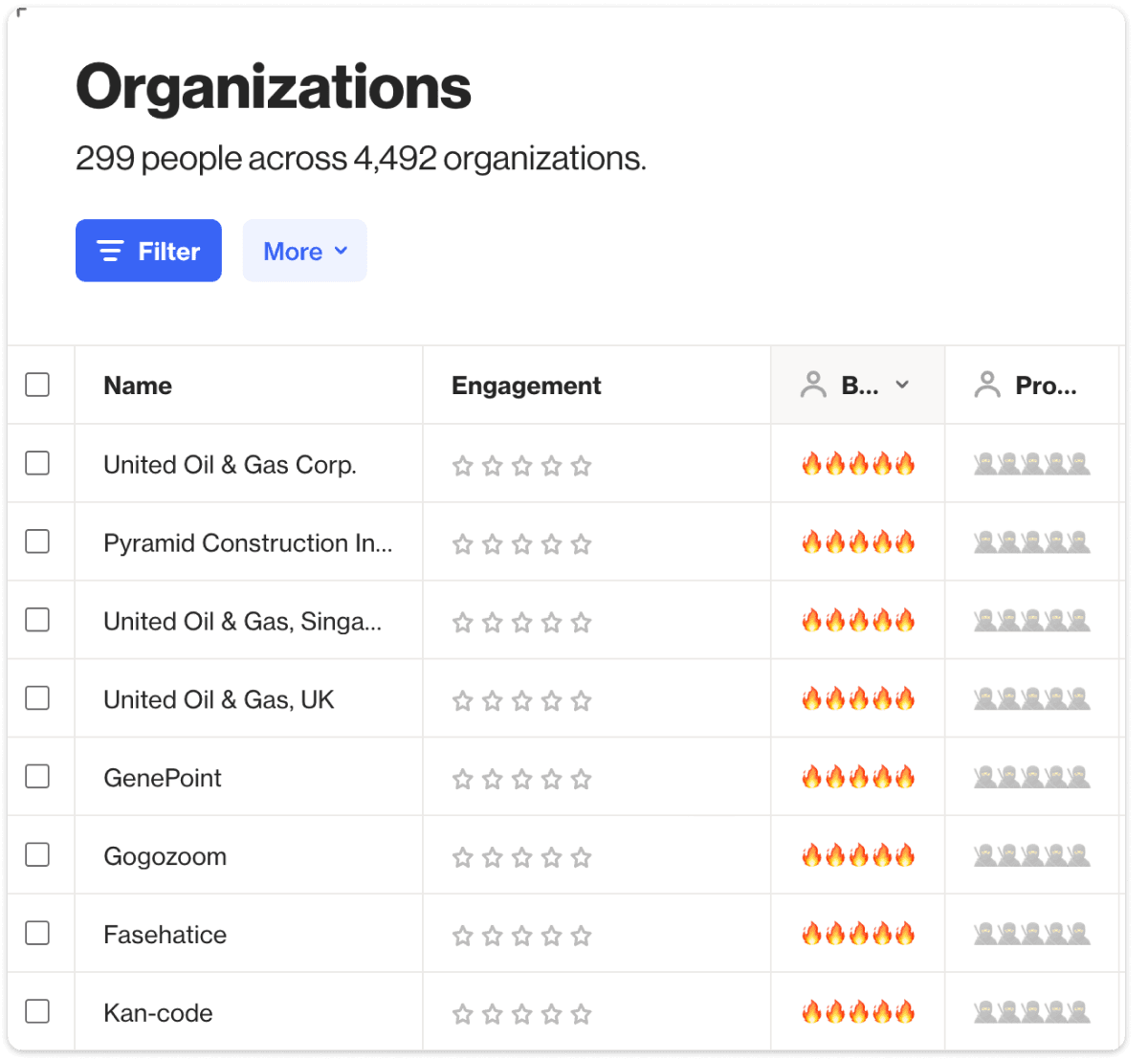
With both scores visible, sales teams can make more nuanced prioritization decisions. A lead with high fit and high intent is the clearest priority. A lead with high fit but low intent needs nurture, not a sales call. A lead with low fit but high intent warrants a conversation to confirm whether the fit assessment was accurate – sometimes the ICP needs updating. Ortto's scoring dashboard displays both scores side by side on every Person and Organization profile, giving sales teams the full picture at a glance.
Multiple buyer personas
Many B2B businesses serve distinct buyer personas that require different scoring models. An edtech company selling to both teachers and school administrators, for example, has two audiences with different ICP attributes, different behavioral signals, and different content journeys. A single blended score would systematically misrepresent leads from one persona or the other.
Similarly, businesses with tiered buyer roles – economic buyers, technical evaluators, and end users – benefit from persona-specific scoring so that the right person at a prospect organization receives the right level of sales attention, regardless of their individual engagement level.
Expansion and upsell scoring
Lead scoring is not limited to new business. Expansion scoring – also called upsell or customer scoring – applies the same logic to existing customers: identifying which are most likely to expand to a higher tier, adopt a new product, or increase their usage. Signals like feature usage breadth, seat utilization, integration depth, and support ticket volume are all valuable inputs for expansion scoring models.
In Ortto, expansion scoring models can be built using the same interface as acquisition scoring – using product usage events and CRM data to score existing customers on their expansion likelihood, and triggering automated outreach or sales alerts when a customer crosses a threshold.
Product-qualified lead (PQL) scoring
For SaaS companies operating a product-led or hybrid go-to-market model, product-qualified lead (PQL) scoring is a distinct scoring model built entirely from product usage signals. Rather than scoring on marketing engagement, a PQL model scores on the specific in-product actions that correlate most strongly with conversion – reaching the 'aha moment', inviting teammates, connecting integrations, or hitting usage thresholds.
Ortto's CDP connects directly to your product data, enabling PQL scoring models that update in real time as users take actions in the product. When a trial user crosses a PQL threshold, Ortto can automatically alert the relevant sales team member with full usage context, so the outreach is timely, informed, and personalized.
Key stat: Sales teams that use PQL scoring to prioritize trial user outreach see 2–3x higher conversion rates from trial to paid compared to time-based or role-based approaches. (Gainsight, 2025)
How to build your lead scoring model: A step-by-step guide
Building an effective lead scoring model is an iterative process – you will refine it over time as you gather data on what actually predicts conversion. These five steps provide the structure to get started correctly.
Step 1: Calculate your baseline conversion rate
Before adding any scoring logic, calculate your overall lead-to-customer conversion rate across all channels and cohorts. This is your baseline – the number you are trying to improve by directing sales effort toward higher-quality leads. Record it clearly, because in three to six months you will use it to measure whether your scoring model is working.
Step 2: Identify the attributes of your best customers
Pull a list of your highest-value customers – those with the highest lifetime value, longest tenure, or fastest time to conversion – and look for patterns. What do they have in common? You are looking for both explicit attributes (industry, company size, job title) and behavioral signals (which content they engaged with, which product actions they took before converting, how they found you).
This analysis is most valuable when it combines quantitative data (from your CRM, analytics platform, and product database) with qualitative insight from your sales and customer success teams. Run through these questions with the people who talk to customers daily:
What do the leads who convert fastest have in common?
Which campaigns or content pieces consistently generate the highest-quality leads?
What specific actions – in product or in marketing – are the clearest signals of genuine intent?
What are the most common reasons a seemingly strong lead does not convert?
Step 3: Weight your attributes by conversion correlation
Once you have identified your key attributes and signals, assign point values that reflect their relative importance as conversion predictors. The most rigorous approach is to calculate the conversion rate for each attribute independently – then use those rates to set proportional weights.
For example: if leads who request a demo convert at 25% and leads who attend a webinar convert at 5%, the 'Requested demo' attribute should be worth five times more than 'Attended webinar'. This conversion-rate-based weighting is more reliable than intuitive weighting and produces a model that reflects actual behavior rather than assumptions about what should matter.
In Ortto's scoring tool, each attribute and activity can be assigned a custom point value. Positive attributes add to the score; negative attributes subtract. The model calculates a single composite score – or separate scores if you are using multiple models – that updates in real time as leads interact with your brand.
Step 4: Set a time decay model (half-life)
Time decay is the principle that recent engagement is more valuable than older engagement. A lead who visited your pricing page yesterday is more sales-ready than one who did the same thing six months ago. Most lead scoring platforms, including Ortto, implement time decay through a half-life model: a time period after which a behavioral score is halved.
To set your half-life, calculate your average sales cycle length and divide it by two. If your average time from first touch to close is 60 days, a 30-day half-life is a reasonable starting point. Half-life only applies to behavioral attributes – explicit data points like job title or company size do not decay. In Ortto, half-life is set per scoring model and applied automatically to all activity-based attributes.
Step 5: Define your scoring thresholds and sales handoff rules
A lead score is only useful if it triggers action. Define clear thresholds that determine what happens when a lead reaches a specific score – and ensure both marketing and sales agree on those thresholds before the model goes live. Common threshold actions include:
Score 0–30: Lead enters an automated nurture sequence. No sales outreach.
Score 31–60: Lead is flagged for marketing review. May receive more targeted nurture content based on their specific behavioral signals.
Score 61–80: Lead is passed to sales as a Marketing-Qualified Lead (MQL). Sales performs initial outreach within 24 hours.
Score 81–100: Lead is treated as a hot lead – Sales-Qualified Lead (SQL) or Product-Qualified Lead (PQL). Immediate outreach required.
In Ortto, threshold-based automations can be configured to trigger automatically when a lead crosses a score boundary – sending an internal notification to the assigned sales rep, creating a task in your CRM, or enrolling the lead in a targeted email sequence – without any manual monitoring required.
Ortto tip: Set up a dedicated Ortto journey that triggers when a lead's score crosses your MQL threshold. The journey can send an internal Slack or email alert to the assigned rep with the lead's full profile – score, key attributes, recent activity – so the outreach is informed from the first contact.
Common lead scoring mistakes to avoid
Skipping negative scoring
A scoring model without negative attributes will inflate scores for poor-fit leads who happen to engage heavily with your content. Without negative scoring, a student downloading your ebook gets the same treatment as a VP of Marketing at an ICP-fit company doing the same thing. Always include negative scoring attributes for disqualifying signals.
Setting it and forgetting it
Lead scoring models decay in accuracy over time as your ICP evolves, your product changes, and your market shifts. Schedule a quarterly review of your model to check whether the attributes that predicted conversion six months ago still hold, and whether new signals have emerged that deserve inclusion. The best scoring models are treated as living systems, not one-time configurations.
Skipping the sales and marketing alignment conversation
A lead scoring model that marketing builds in isolation and hands to sales will be ignored or resisted. The most important step in building a scoring model is the alignment conversation: what does a good lead look like? What actions indicate genuine intent? What is the agreed threshold for sales handoff? This conversation is where most of the value is created – the model is just the mechanism for operationalizing the agreement.
Over-engineering the first version
The temptation is to build the most comprehensive, nuanced scoring model possible from the start. Resist it. A simpler model built on five to seven well-chosen attributes and launched quickly will produce more value than a complex model that takes months to build and never gets refined. Start simple, measure the impact, and add sophistication as you gather data on what actually predicts conversion.
Ignoring product usage data for SaaS
For SaaS companies, product usage data is the highest-signal input available – more predictive of conversion than any marketing engagement metric. A lead who has activated five features and invited two teammates is more sales-ready than a lead who has opened ten emails, regardless of what the email-based score says. Ensure your scoring model ingests product usage events, not just marketing engagement data.
How Ortto's lead scoring tool works
Ortto's scoring is purpose-built for B2B and SaaS marketing teams, with a flexible model builder that supports multiple scores, real-time updates, time decay, and direct integration with product usage data.
Multiple scoring models: Create and track separate scores for fit, intent, PQL, expansion, and persona-specific models – all visible simultaneously on Person and Organization profiles.
Real-time scoring: Scores update automatically as leads take actions – in your product, in your emails, or on your website – with no manual refresh required.
Time decay (half-life): Set a half-life per model to ensure behavioral scores reflect recency. Ortto applies the decay automatically to all activity-based attributes.
Threshold automations: Configure journeys that trigger automatically when a lead crosses a score threshold – sales alerts, CRM tasks, nurture enrollment, or direct outreach sequences.
Product usage integration: Connect Ortto's CDP to your product database and add product events as scoring attributes – making PQL scoring possible without additional tooling.
Organization-level scoring: Score at both the individual (Person) and account (Organization) level, enabling account-based scoring for enterprise go-to-market teams.

→ See Ortto's lead scoring in action — Book a demo
Frequently asked questions
What is lead scoring?
Lead scoring is the process of assigning a numerical value to each lead based on attributes and behaviors that indicate their likelihood of converting to a customer. Scores are calculated by combining weighted explicit data (who the lead is) and implicit data (what they have done). The resulting score helps sales teams prioritize their outreach and helps marketing teams measure lead quality – not just lead volume.
What is the difference between explicit and implicit lead scoring data?
Explicit data is confirmed information about who the lead is – job title, company size, industry, location – typically collected through form fills or data enrichment. Implicit data is behavioral – what the lead has done, such as visiting your pricing page, starting a free trial, or downloading a case study. Effective scoring models combine both: explicit data to assess fit against your ICP, and implicit data to assess intent and sales readiness.
What is negative lead scoring?
Negative lead scoring is the practice of deducting points from a lead's score when they exhibit signals that indicate poor fit or low intent, such as using a personal email address, having a job title outside your ICP, or being identified as a competitor. Negative scoring prevents poor-fit leads from accumulating high scores through heavy engagement, keeping your priority queue accurate and preventing wasted sales effort.
What is a product-qualified lead (PQL)?
A product-qualified lead (PQL) is a free trial or freemium user who has taken specific in-product actions that correlate strongly with conversion, such as reaching an 'aha moment', inviting teammates, connecting an integration, or hitting a usage threshold. PQL scoring is a specialized lead scoring model built from product usage data rather than marketing engagement data. It is particularly effective for SaaS companies using a product-led or hybrid go-to-market strategy.
How many lead scoring models should I have?
Most growing B2B and SaaS companies benefit from at least two models: a fit score (based on ICP attributes) and an intent score (based on behavioral signals). Companies with multiple buyer personas, a product-led motion (PQL scoring), or an active expansion sales team typically benefit from three to five distinct models. Ortto allows users to create and track multiple models simultaneously, displayed side by side on each contact and organization profile.
What is a lead scoring half-life?
A half-life is the time period after which a behavioral score is automatically halved, reflecting the principle that recent engagement is more predictive of conversion than older engagement. To calculate your half-life, divide your average sales cycle length by two. Half-life only applies to behavioral (activity-based) scoring attributes – explicit data like job title or company size does not decay. In Ortto, half-life is set per scoring model and applied automatically.
How do I know if my lead scoring model is working?
The clearest measure of scoring model effectiveness is the conversion rate of leads above your MQL threshold compared to your baseline conversion rate. If scored leads convert at a significantly higher rate than unscored leads, the model is working. Additional indicators include: reduction in sales cycle length for scored leads, reduction in time sales spent on unqualified leads, and improvement in sales and marketing alignment (fewer disputes about lead quality). Schedule a quarterly review of these metrics and adjust attribute weights as needed.
How does Ortto's lead scoring tool work?
Ortto's scoring tool lets you build multiple lead scoring models using explicit and implicit data attributes, each with custom point values and a time decay half-life. Scores update in real time as leads interact with your marketing, your website, and your product. Threshold-based automations can trigger sales alerts, CRM tasks, or journey enrollments when a lead crosses a defined score boundary. Ortto supports scoring at both the individual (Person) and account (Organization) level, and connects directly to product usage data for PQL scoring.
Final word
Lead scoring is one of the highest-leverage systems a B2B or SaaS marketing team can build. Done well, it aligns marketing and sales around a shared definition of lead quality, focuses sales effort on the leads most likely to convert, and gives marketing a measure of campaign success that goes beyond volume.
The most important principle is to start simple and iterate. A scoring model built on five well-chosen attributes, launched in a week, and refined quarterly based on actual conversion data will outperform a sophisticated model that never gets built. The goal is a living system that gets more accurate over time – not a perfect system built once.
Ortto's scoring tool is designed to make that iteration fast and data-driven, with multiple model support, real-time updates, time decay, product usage integration, and threshold automations that connect scoring to sales action without manual coordination.