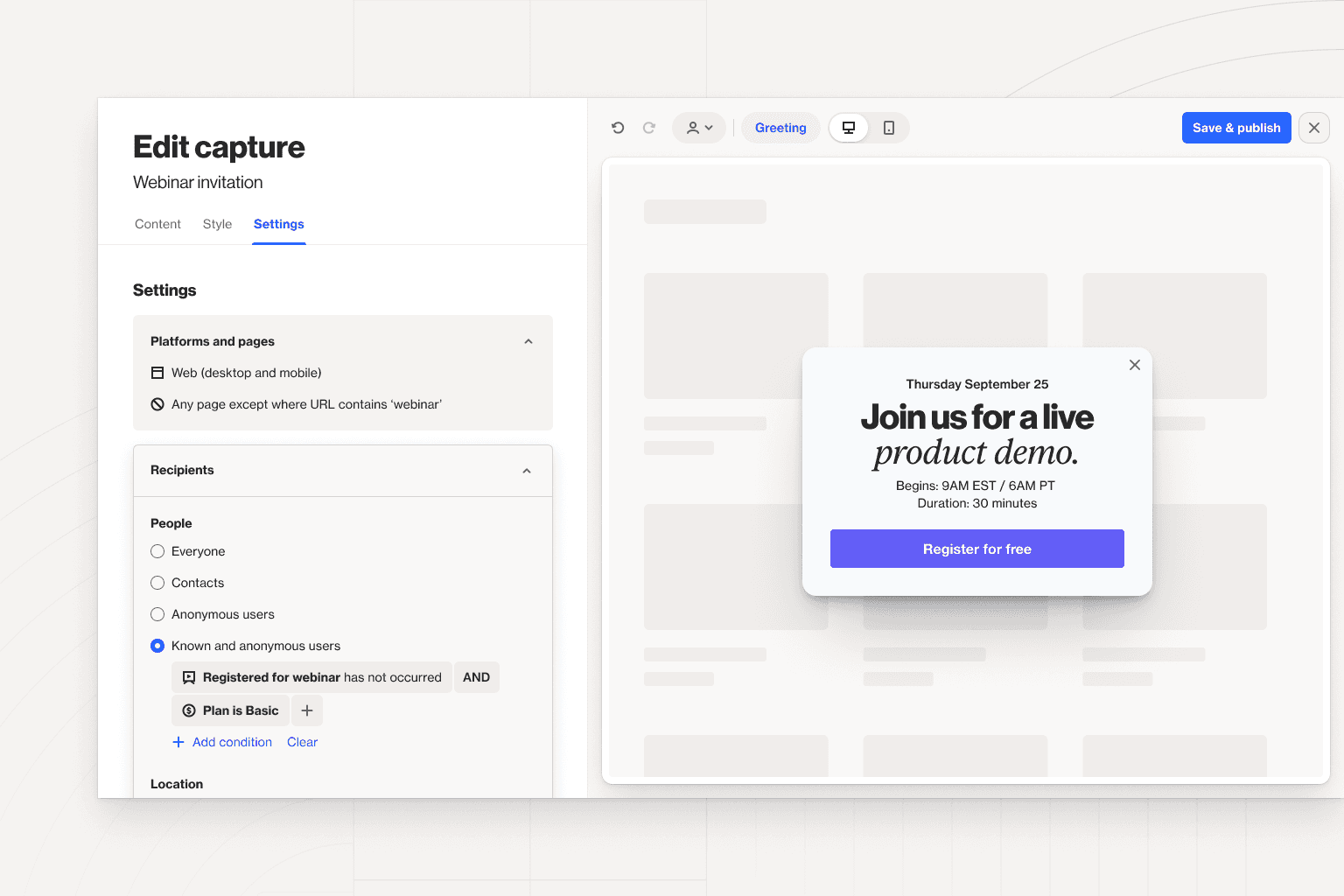
We've reached the end of another quarter after a big month of updates. In September, we shipped enhanced controls on capture widgets, added a new settings option for notifications, gave you more control over how your Salesforce and HubSpot data is integrated, and more.
Check out the full list below, and visit our changelog for a complete list of updates, improvements, and bug fixes.
Capture — you can now target capture widgets to both known people who meet specific filters and anonymous users. For example, you could target known users who are still on a free trial and anonymous users on your website.
Notifications — we’ve added a new settings page called ‘Notifications’ where you can specify which users or non-user email addresses should receive notifications, and/or provide a Slack channel for notifications. This applies to billing notifications, as well as general account notifications like data sources being disconnected.
Journeys — you can now choose whether to keep trying to display widgets or stop attempting to show them when a contact exits a journey.
Salesforce — reduce unnecessary time and data load by selecting to backfill specific objects rather than the whole list.
SMS — the brand prefix input in the settings page is now optional, making it simpler for multi-brand accounts to run SMS marketing campaigns.
Currencies — we’ve extended the list of supported currencies in settings.
API endpoints — there are two new API endpoints available. One to update a custom field and another to get contact activities.
HubSpot — you can now choose to auto-archive contacts in Ortto when deleted in HubSpot and control how HubSpot finds matches when merging contacts.
Knowledge base article updates:
Understanding email unsubscribes — there are several ways someone can be unsubscribed from your communications. This guide explains them and shows you how to resubscribe contacts who were incorrectly unsubscribed.
Updating custom fields via the API — the update Ortto endpoint of the custom-field entity is used to update single-select and multi-select field options and to start or stop tracking field changes in the CDP. This article explains how it works.
What happens when delay and filter shapes are modified — learn how delay and filter shapes behave when they are modified and there are still contacts waiting at the shape.
Send messages to Slack — discover how to utilize your Ortto data to send messages to private or public Slack channels via the journey builder.
Salesforce merge strategy — this new page consolidates information on the Salesforce merge strategy options available in Ortto.