Most AI assistants today are powerful but blind - they don’t know your customers, your marketing history, or your data.
By connecting Ortto via MCP, you make your AI assistant context-aware:
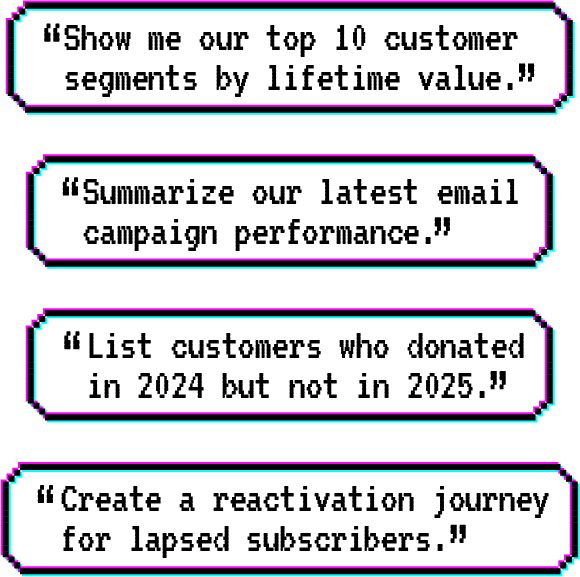
Answer questions instantly: “Who are our top donors this month?”, “Which campaign drove the most conversions?”
Generate smarter content: “Draft a reactivation email for lapsed donors in our Christmas appeal.”
Save hours of manual work: “Summarize performance for last week’s nurture journeys.”
Key Benefits
Context-rich AI: Your assistant gains access to real Ortto data in realtime, giving you insights that are personalized and actionable.
Seamless automation: Use natural language to trigger automations or analyze segments.
Secure by design: MCP follows strict permission-based access - your data stays private and controlled.
Faster decision-making: Turn everyday questions into instant insights, without logging in or pulling reports.
The future of marketing, connected
Ortto’s MCP Server bridges your AI and your marketing data, giving you the power to make every decision faster and smarter - with the full context of your CDP and automation platform behind it.
How to Get Started
Enable the Ortto MCP Server in your Ortto workspace.
Connect your AI assistant (like Claude or ChatGPT) to the Ortto MCP Server.
Start asking questions or giving commands in plain language - your assistant will pull real data from Ortto.
More info on MCP
MCP (Model Context Protocol) is an open standard that enables AI models to connect to external data and tools.
Think of it as a “bridge” that lets your AI assistant talk directly to Ortto so it can access real business context, on top of what it knows from the web.
By connecting with Ortto’s MCP Server, your assistant can securely:
Retrieve data from Ortto CDP (customers, audiences, activities)
Analyze marketing performance and campaign results
Automate tasks using real, contextual business data
Sign in or set up a trial to get started…