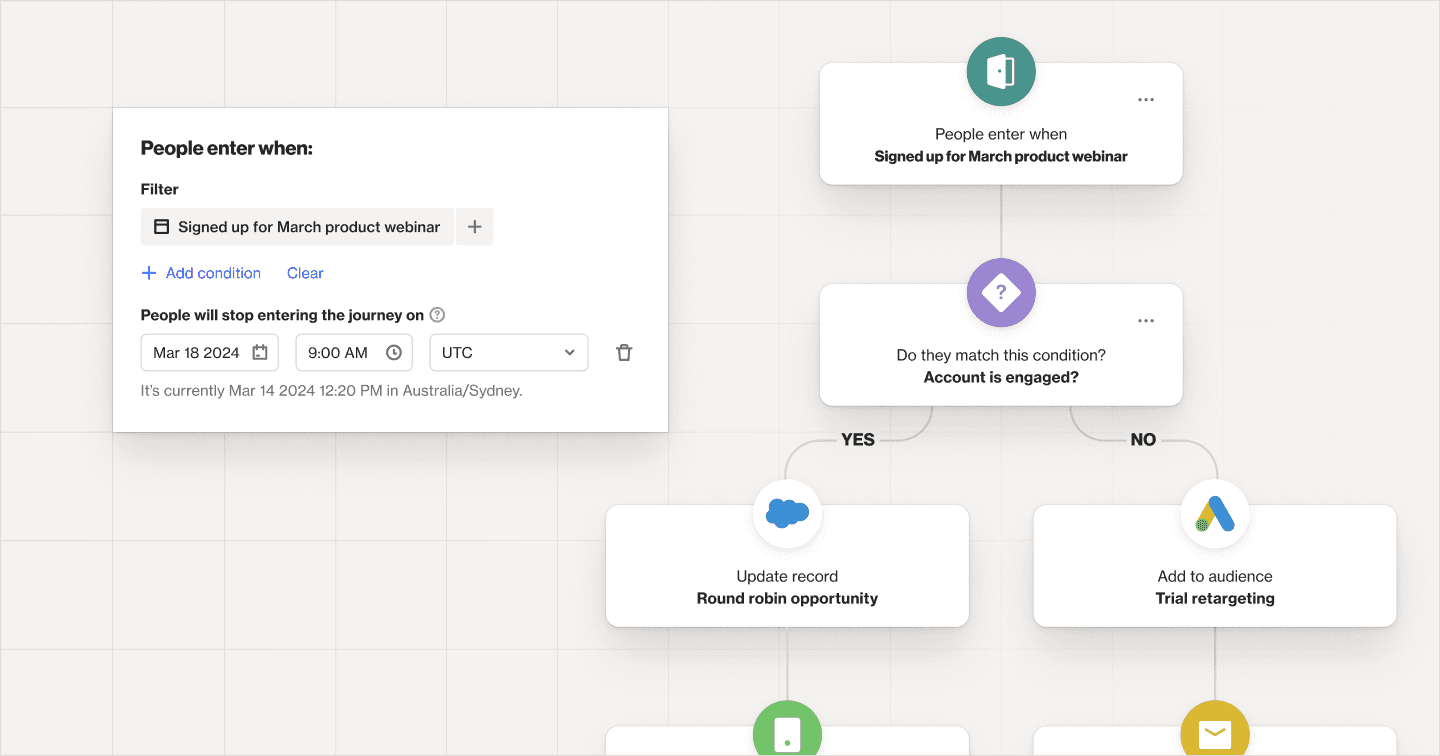
This month we added a new journey setting, made improvements to talk, changed the way duplicate records are previewed, and more. We've also enhanced this monthly product update! Each month, we'll spotlight new or improved content from our knowledge base to help you better navigate our docs and get more out of Ortto.
Check out the rest in the list below, and don’t forget to bookmark our Changelog to see all the updates as they happen.
Journeys — We’ve added a setting to allow you to stop contacts from entering a journey after a certain time without turning the journey off.
Talk — To increase brand trust and deliverability, all outgoing emails for Talk will collect replies at the same email address. Plus, you can now choose whether Talk conversation summaries are included in email notifications.
Customer data — You can now control how primary records are selected on the duplicate records page to improve control when you are bulk merging records. Plus, when mapping phone number fields from a CSV or tracked forms, you can now choose whether or not the country code is automatically generated.
Chargebee — Transaction activities now support multi-currency transactions and convert back to the account’s default currency for easy reporting.
Pipedrive — We’ve added two new actions — add a lead and update organization field — to help you better manage your customer data.
Facebook — You can now add multiple Facebook advertising accounts within a single Facebook data source.
Latest knowledge base updates:
How campaign statistics are calculated — learn how the statistics for journeys, playbooks, emails, SMS, and notifications are calculated.
Understanding journey and playbook entry criteria — understand the difference in behavior between entry criteria with an “occurs” condition and without an “occurs” condition. We’ve also made some updates to the existing doc on how to re-enter people into a journey or playbook campaign.
Clearing and setting a person’s field values — this new developer doc shows you how to clear existing field values and set new values in the same API call.
Setting a custom field as a tracking code merge key — learn how to set a custom field as an additional merge key, such as a customer ID.
Setting the tracking code merge and find strategies – learn how to set the merge strategy and find strategy when you send a person’s data for user session association using the ap3.track method.