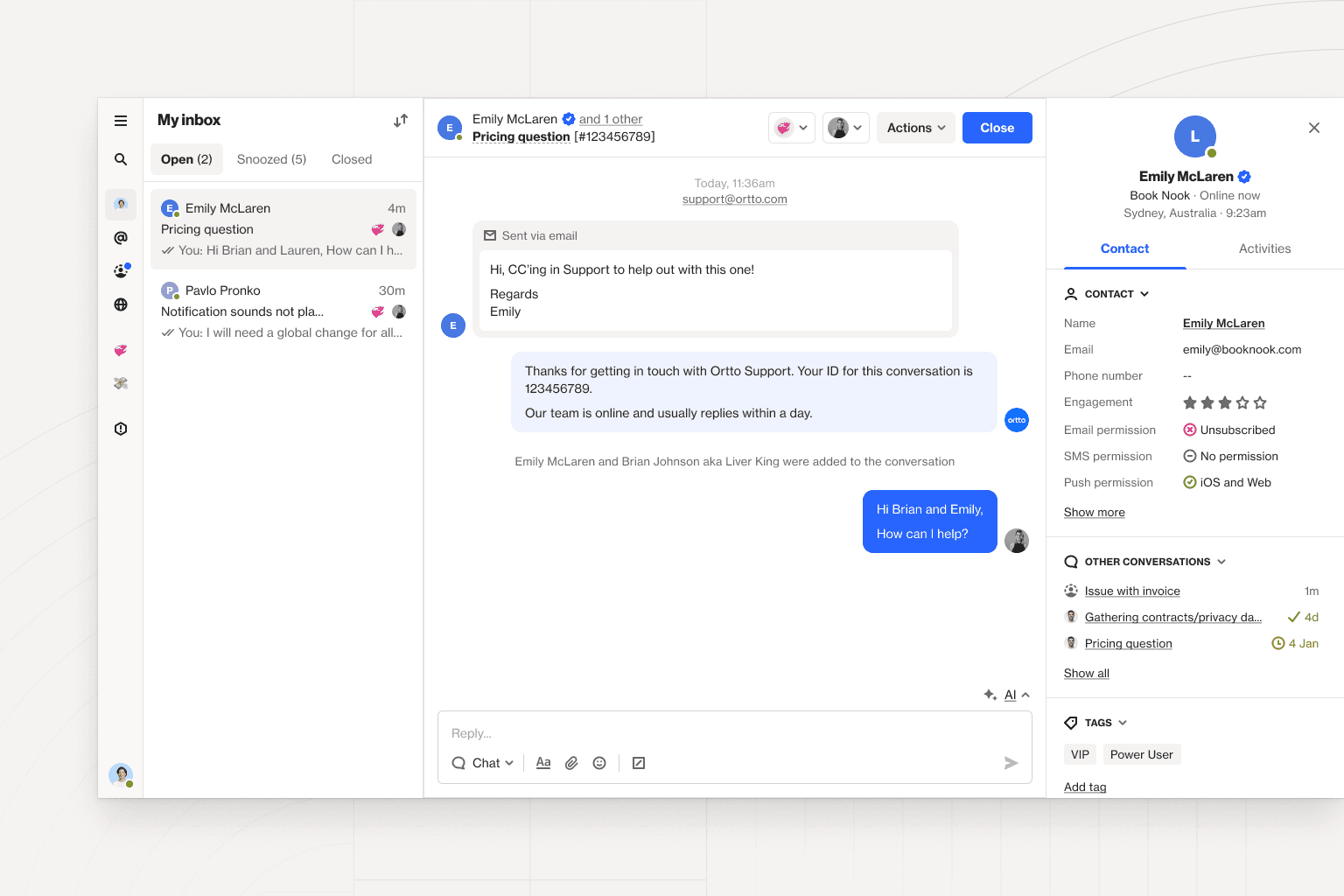
This month, we improved the styling in your Talk inbox, gave you more control over unique identifiers, updated some of our report settings, added a share option to emails, and more.
Check out the highlights below, and visit our changelog for a complete list of updates, improvements, and bug fixes.
Talk— we’ve updated the Talk inbox to give you a clearer view of which channel the conversation is happening in (email or chat). Plus, we updated the compose bar for email conversations and have allowed for HTML content in the Talk compose API.
Unique identifiers — you can now specify a secondary custom field as a unique identifier. When you make this selection, the system will check a single incoming field against two different field options in Ortto. For example, if your contacts have a primary and secondary email address, the system checks against both fields. If either field is a match, we will merge the contact.
Reports — pie charts now have ‘include’ and ‘exclude’ fields for ‘group by’ to give you more control over the fields you report on. We have also added a precision control when grouping a report by a date field or attribute to let you choose how you group. For example, you could choose to group by days instead of minutes.
Email — you can now create and share a public link to view sent and scheduled emails in a browser. This can be helpful if you want to create a limited preview of recent newsletters or give current subscribers another way to share your emails.
Knowledge base — we’ve added an option allowing you to change the color of the header in your knowledge base.
Segment integration— you can now control the date format used on fields for ‘identify’ and ‘track’ activities.
Shopify integration — we added an ‘updated order’ activity for Shopify users.
Knowledge base article updates:
Data discrepancy between Ortto and Google Analytics — learn about the differences between conversion and session data tracking methods in Ortto and Google Analytics.
Best practices for email design — this new guide outlines the best practices for email design, covering things like optimal email width, image-to-text ratio, and image formats.
Attaching files to a capture button for download — we’ve added a section to our configuring a capture widget article that details how to attach a downloadable file to a button.
Creating and understanding funnel reports — learn how to build funnel reports with this in-depth explainer covering activity order, percentage calculation, and conversion windows.
Push non-delivery and complaints — this guide to invalid push statuses will help you understand the most common reasons for non-delivery.
How do I send data from Ortto to Salesforce — this article centralizes information on syncing data from Ortto to Salesforce to help you ensure your Ortto data is accurately reflected in Salesforce.
Shopify activities and attributes — this article has been updated to include all of our Shopify activities including the new ‘updated order’ activity.
How overall reaction sentiment is calculated — the email reactions article now includes a section explaining how sentiment is calculated in campaign reports.