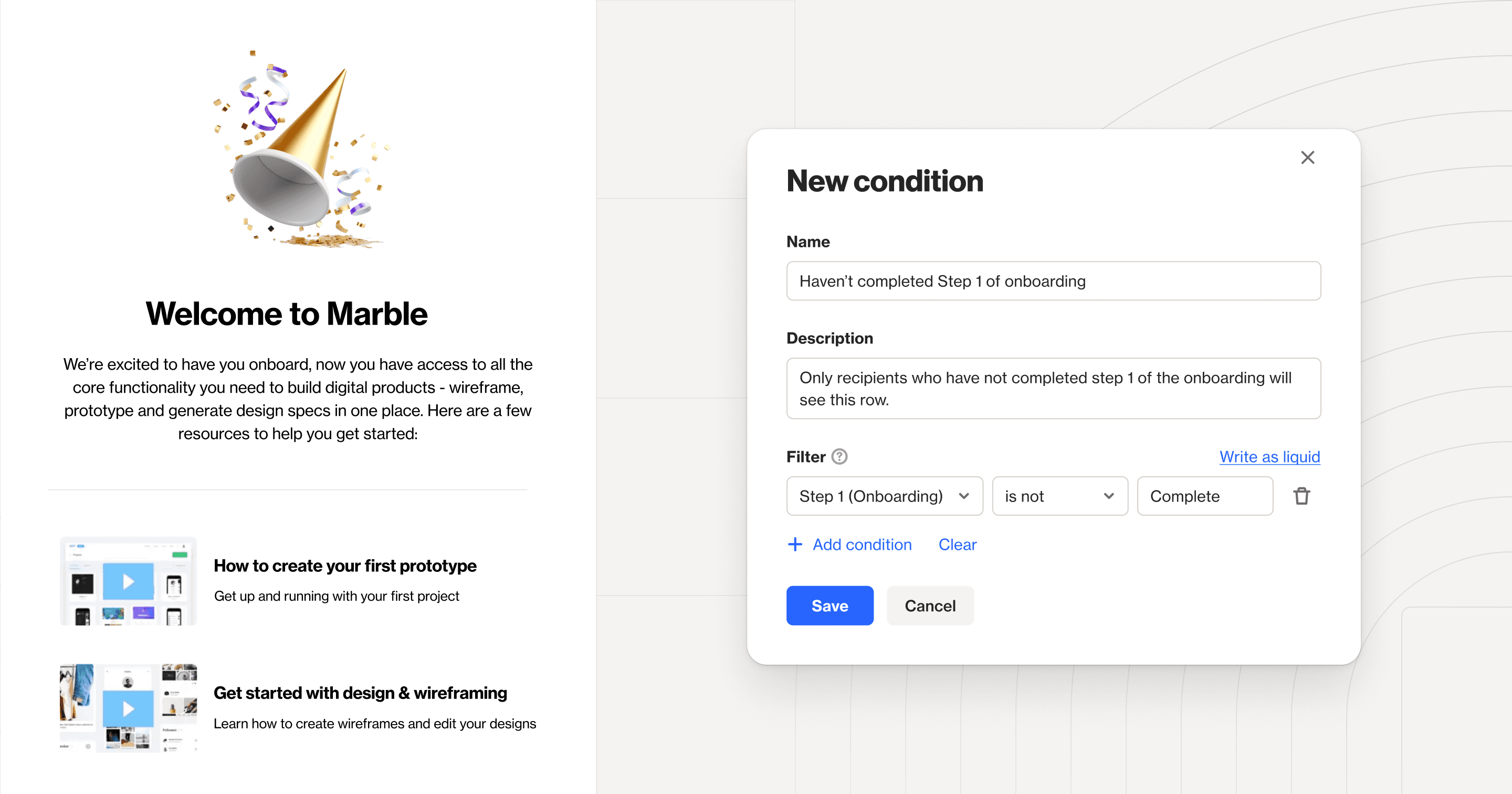
This month, we made email campaigns easier than ever with several key updates; an easy-to-use dynamic content modal, the enablement of editable HTML in the asset manager, a sunset policy settings page, and the option to create a suppression list.
There’s plenty more to explore — including updates to SMS sender IDs and multi-currency fields. Check out the list below, and head over to our roadmap to see what’s on the horizon.
Condition builder for email — our new dynamic content builder allows you to build dynamic row conditions in a simple form, rather than writing liquid language. You can also save these dynamic rows for future use, making email personalization easier than ever.
HTML emails — we’ve expanded on our January update around editing HTML to include emails in your asset manager. This means you can build an HTML email in the asset manager and specify editable tags to streamline simple edits.
SMS sender IDs — you can now choose which sender ID or phone number an SMS is sent with at the campaign or journey shape level. This gives you full control over the ‘from’ address for individual SMS messages.
Multi-currency supported in reporting — you can now report on multi-currency fields in the base currency you’ve identified in general settings.
Sunset policy settings — a new sunset policy settings page allows you to create filter rules to automatically unsubscribe, resubscribe, or archive contacts. This will help keep your list clean to improve email deliverability.
Email suppression list — you can now create a suppression list of email addresses. This means that even if you try to send an email to this address, it will not send, regardless of the status of any contacts with that email. This enables you to keep track of emails to not contact, without impacting your contact limit.
Capture widgets — we now include browser and device information on all capture widget-related activities.
Stripe integration — customers using Stripe can now use the ‘Charge’ and ‘Invoice’ activities as conversion activities for more accurate attribution reporting.
Latest knowledge base updates:
Create, use, and delete saved rows — learn how to use saved rows in any campaign type to reduce the time spent creating email content.
Custom domain troubleshooting — we’ve added a section to our custom domains page for troubleshooting. This includes guidance on how to resolve some of the more common roadblocks our customers face.
How to adjust settings for templates — how to update template settings including header menus, social icons, email reactions, and email compliance postal address.
Sunset policy — this page explains our new sunset policy settings in detail to help you better manage your list.